 Spellbound Shelf
Home › ISBN scanner
ISBN barcode scanner for your book library
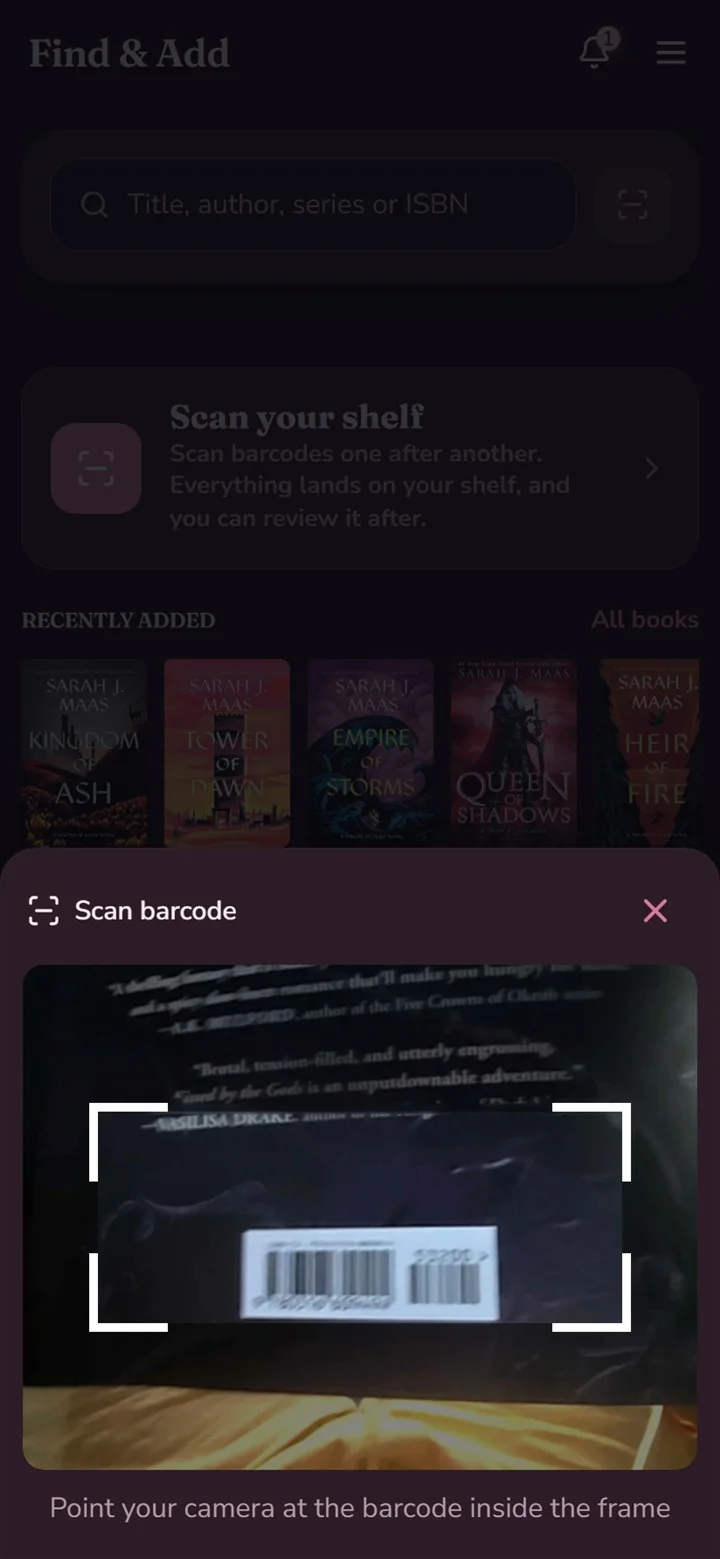
Spellbound Shelf is a free book tracker with a built-in ISBN barcode scanner. Point your Android phone’s camera at the barcode on the back of a book and it lands in your library with its cover, edition, author and series already filled in.
How do I add a book by scanning its barcode?
Open Spellbound Shelf on Android, tap scan and point the camera at the ISBN barcode (the EAN-13 code that starts with 978 or 979). The app looks up the book and shows the cover, title, author, edition and series. Pick a reading status, such as want to read or reading now, and it is on your shelf. No typing, no copying ISBNs by hand.
Can I scan a whole stack of books at once?
Yes. After a book haul or when you first move your library in, scan books back to back. Each scan adds the next title, so cataloguing a full shelf takes minutes instead of an evening of typing.
What if I’m on a computer or iPhone?
Scanning uses the Android app. On the web, in any browser on desktop, iPhone or iPad, search by title, author or ISBN, or add a book manually. Everything you add syncs to the same library.
What does the scanner fill in?
- Cover image
- Title and author
- Edition and format (paperback, hardcover and more)
- Series name and order
- ISBN, kept on the edition you own
Questions
Is the ISBN scanner free?
Yes. Barcode scanning, like every feature in Spellbound Shelf, is free with no ads.
Does the scanner work on iPhone?
Barcode scanning is in the Android app. On iPhone and iPad you can use Spellbound Shelf in the browser and add books by searching title, author or ISBN.
Last updated 6 November 2026. More answers in the FAQ.