 Spellbound Shelf
Home › Stream overlay
Book stream overlay for Twitch, YouTube and Kick
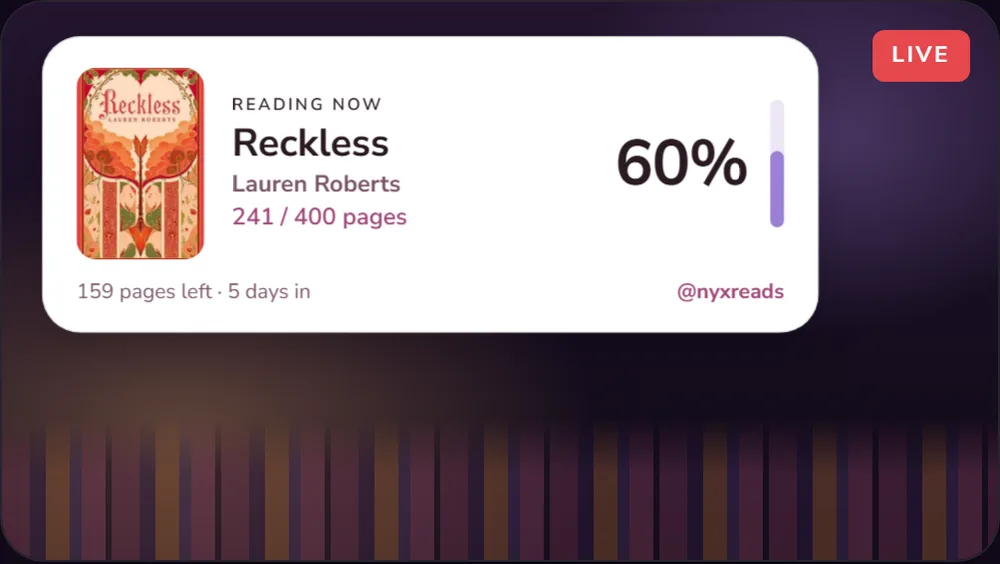
Spellbound Shelf gives readers who stream a free overlay that shows the book you are reading on Twitch, YouTube or Kick. It shows the cover, your progress and your @, and it updates whenever you log pages in the app.
How do I add the overlay to OBS or Streamlabs?
In Spellbound Shelf, open Settings › Stream overlay and copy your private overlay link. In OBS or Streamlabs, add a Browser Source and paste the link. The overlay shows your current read straight away.
What does the overlay show?
- The book you are reading now, with its cover
- Your progress, updated when you log pages
- Your @ handle
- Optional flip to your shelf stats
Can I change how it looks?
Yes. Choose the layout (card, compact or cover), the colours, fonts and size. There are several styles to start from, including Dusk Rosé, Parchment, Velvet Tome and Obsidian Quill.
Is there a Twitch panel?
A Twitch panel extension for under your stream is coming soon.
Questions
Is the stream overlay free?
Yes. The overlay is free for every Spellbound Shelf account, with no ads.
Does it work with YouTube and Kick?
Yes. It is a Browser Source, so it works anywhere OBS or Streamlabs can stream, including Twitch, YouTube and Kick.
Last updated 6 November 2026. More answers in the FAQ.